
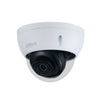
Reset Dahua camera
, by Showroom ASE, 5 min read
, by Showroom ASE, 5 min read
Is your camera no longer responding, can you no longer log in or have you forgotten the password? Then it may be necessary to reset a Dahua camera. A reset returns the camera to factory settings so that you can start the installation again.
This may sound complicated, but in practice it is often quite simple. Many Dahua cameras have a physical reset button that allows you to reset the device within a few seconds. In this guide we explain step by step how to reset a Dahua camera, why a camera sometimes does not respond and what the default password is.
Do you use Dahua cameras or are you considering a new system? Then take a look at our range Dahua IP camera surveillance.
There are several situations where a reset can be useful or even necessary.
The most common reasons are:
you forgot the camera password
the camera no longer responds in the network
you cannot connect to the recorder
the camera is second-hand and is still on old settings
the camera needs to be reset
Resetting the camera returns all settings to factory defaults. You can then reconfigure the camera.
The most commonly used method is a physical reset via the reset button on the camera.
The camera must be turned on. This can be done via:
PoE (Power over Ethernet)
12V power supply
Without power the reset button does not work.
Many Dahua IP cameras have a reset button:
under a cover near the SD card slot
inside the camera housing
sometimes under a small rubber cap
The button is usually small and must be pressed with a paper clip or pin.
Press and hold the reset button for about 10 to 20 seconds while the camera is on.
Release the button once the camera restarts. You often notice this because:
the IR LEDs light up briefly
the indicator light changes
the camera reconnects
After the reset, the camera will be back to factory settings.
In addition to the physical reset, there are also software ways to reset a Dahua camera.
With the Dahua ConfigTool you can detect cameras in the network. If you have forgotten the password, you can generate a recovery file (XML) using this tool.
The steps are usually:
Install Dahua ConfigTool on your computer
Find the camera in the network
Export a reset file
Upload the file to Dahua for password recovery
This is often used by installers or when a physical reset is not possible.
When the camera is connected to a Dahua recorder, you can sometimes also reset via the menu.
Go to:
System → Default → Factory Default
Here you can reset the camera to factory settings.
When a camera does not respond, this does not always mean that it is defective. It is often due to settings or the network connection.
Common causes include:
wrong IP address
network conflict
wrong PoE connection
wrong password
firmware issues
In many cases, a reset helps to reconfigure the system.
After resetting, the camera must be set up again.
You usually go through these steps:
Connect camera to the network
Search camera via Dahua ConfigTool
Set new password
Add camera to the recorder (NVR)
Check camera image
The camera will then work as intended again.
Dahua is one of the largest manufacturers of security cameras worldwide. The cameras are known for their reliability and image quality.
Dahua systems are often used for:
homes
shops
business premises
warehouses
catering industry
Do you want to install a new system or replace an existing camera? Then view our range of Dahua IP camera surveillance.