8 How does the voter send reports?
1. If it is necessary to report an event (e.g. an alarm) the dialer will send the data to ARC1 if in use (the dialer will first try the main number / IP address, if this fails then the backup number / IP address).
2. Then the dialer sends the data to ARC2 in the same way as it is programmed as an independent ARC. If ARC2 is set as a backup of ARC1, ARC2 will only be used if notification to ARC1 has failed.
3. Then the dialer sends an SMS report (1st number, 2nd number .... 8th number)
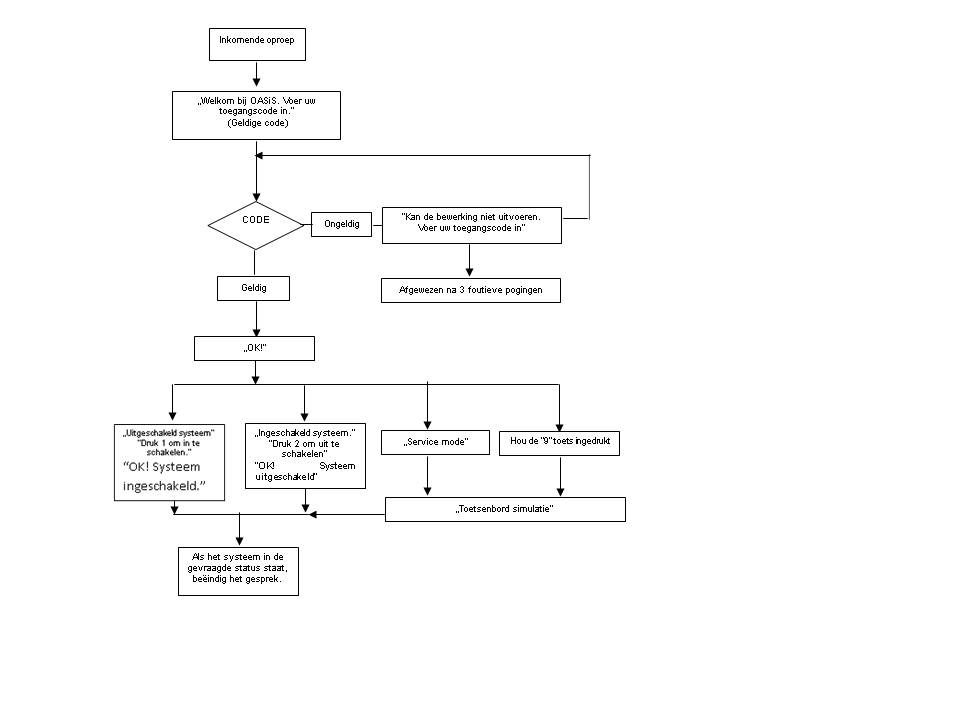
4. The system then sends a voice message to each telephone number with this setting. Each programmed number is only dialed once, regardless of whether the call is answered or not. Pressing the # key cancels calling other numbers and enters the system keypad simulation mode where it is possible to gain full control of the system.
If previous attempts to send data to ARCs have failed, a new attempt will be made after the set time (see 7.5).
If an alarm is canceled by a user while reporting, any unsent text messages and calls will be canceled, but the ARC will still receive a complete set of reports on the events in the system.
8.1 The dialer's LED
The red LED on the dialer can display the following indications:· It lights up for a period while registering on a GSM network
· When sending an SMS message, the LED lights up for 1 second
· The LED flashes quickly during an incoming call
· It is permanently lit during remote access from a phone
· A permanently lit LED could indicate that the dialer is not registered on a GSM network
· The LED flashes during remote data transfer
· The green LED on the dialer indicates:
· Flashes for 2 seconds when the communicator is connected to the control panel
· Blinks once per second when photos are being transferred (see 7.13)
8.2 Notes on entering the service mode
1. When the system is switched to service mode:2. The dialer makes the current transfer to the ARC.
3. The current call reporting is ended.
4. Incomplete SMS and voice reports are cleared (these are not broadcast after the service is completed).
5. Unsent ARC reports will only be deleted if ARC phone numbers / IP addresses / URLs, ARC communication format or if the installation ID has changed.
6. Fault reports are also sent to the ARC when the system is in service mode.
7. Changes to the dialer settings will not take effect until you exit service mode.
8.3 Remote access via the Internet
The system can be controlled remotely via OLink 2.0.1 and higher. This allows the system to be completely set up by an installer or managed by a user (it is necessary to know the service code). To do this it is necessary to:
· The voter registration code xxxxx-xxxxx-xxxx. The code is stated on the label on the dialer board, in the OLink application or you can have it sent to you via SMS (see 6.23)
· The telephone number of the dialer SIM card
· The remote access password
· If GPRS is not available, a connection to OLink can be achieved by SMS with limited options. After the GPRS is restored, the system automatically starts using the GPRS connection.
8.4 Time synchronization process
The correct and accurate time is taken from the SMS network via received SMS messages or from the Jablotron YTUN server when GPRS is active. If the voter does not receive the time synchronization information, it sends an SMS to itself via the GSM network (1x every 10 days). There is a requirement, the dialer must have its own SIM card number that is stored in position 0 by the sequence 81 0 xxx..x *0 (xxx..x = own telephone number). If you change the SIM card number, the setting 0 will be automatically deleted.Time synchronization (see section 6.17) of the control panel is performed when entering the service mode or maintenance mode and if there is a difference of more than 5 minutes between the correct time and the time in the control panel, the synchronization is performed automatically in a disarmed system without manually entering the mode.
Notes:
· Synchronization is indicated by a beep on the control panel
· PG outputs are disabled during time synchronization, the outputs are reactivated afterwards.
· A time synchronization is automatically sent to the ARC upon entering service/maintenance mode (even if it is disabled) and CID report code 1625 (625: a time and date reset based on standard DC-05) is submitted before exiting service/maintenance mode.