Microphone for IP camera - hi sensitive

Description


Microphone for IP camera

Small microphone with Omni directional range for an IP camera that has audio connections.
12 volt powered. Food not included. Can be used with various IP camera brands provided that the connections are correct.

  • Omni-directional condenser microphone, high fidelity;
  • 30KV Air contact ESD, built-in Lightning Protection, power supply polarity reversal protection and electrostatic protection; with ALC, DSP digital noise reduction processing and AGC processing;
  • Easy to install, match with cameras or storage devices which have audio function!
  •  


Step-by-step plan “Connect microphone to Hikvision camera”

Step 1
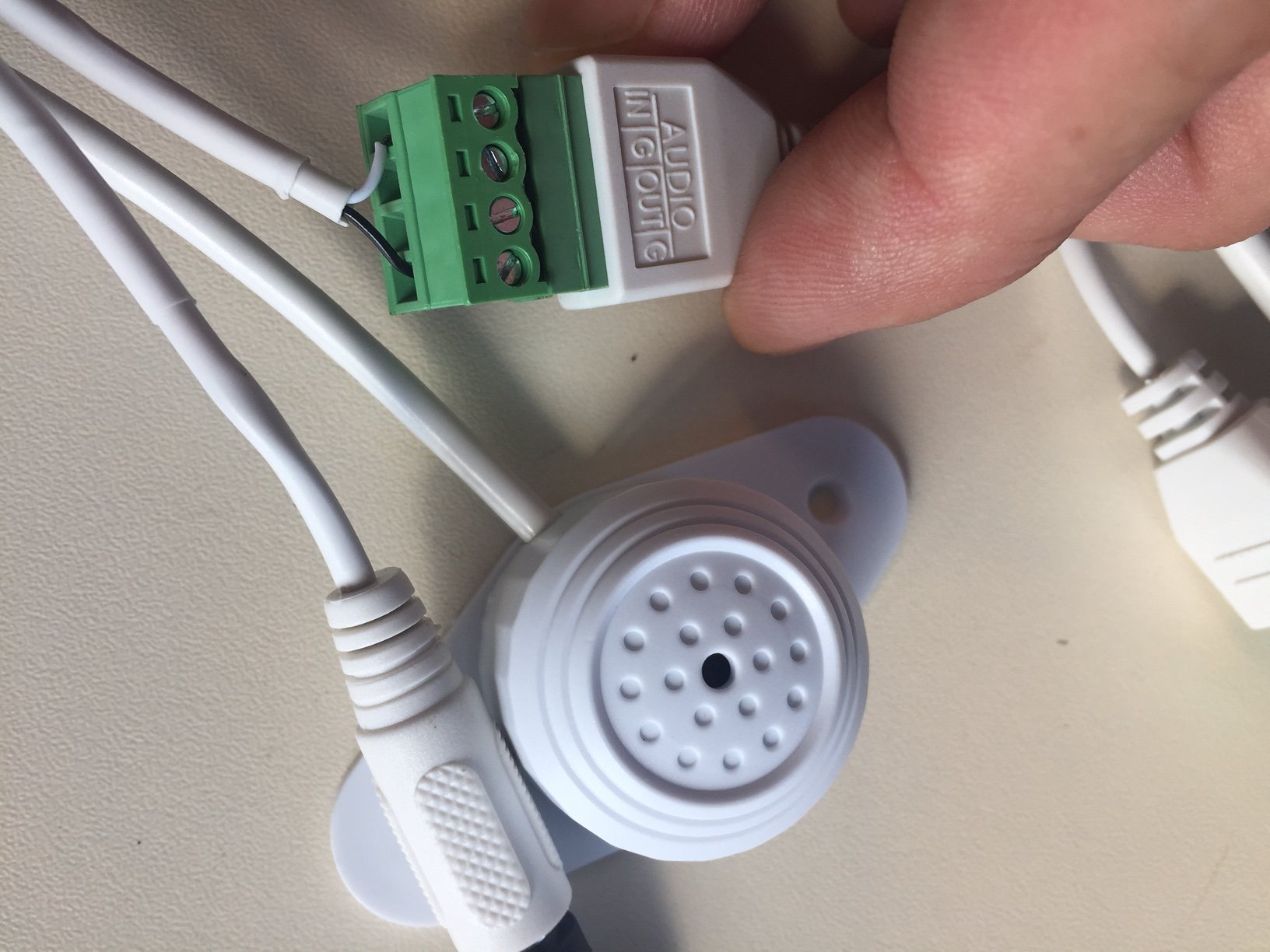
Strip the tulip plug from the microphone.

Step 2
Connect the white wire to the “IN” input of the audio plug & the black wire to the outer “G” input of the audio plug as shown in the figure below.
 

Step 3

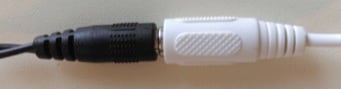
Connect the 12 volt adapter to the microphone.
 

Step 4
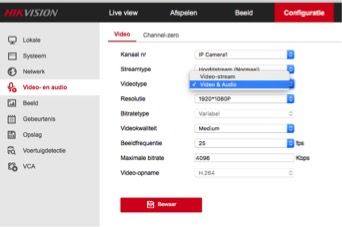
Log in to the recorder or camera and select “Video & Audio” under the Video & Audio tab.
 

Step 5
Click on “Live view”, then on the speaker at the bottom right and open the volume.

 

It is now possible to also hear sound during live view.

Microphone for IP camera - hi sensitive

Product form

In stock, delivery time 1 to 3 working days

€279,51 Incl. VAT

    • Free shipping from €99
    • Free returns within 30 days

    Description


    Microphone for IP camera

    Small microphone with Omni directional range for an IP camera that has audio connections.
    12 volt powered. Food not included. Can be used with various IP camera brands provided that the connections are correct.

    • Omni-directional condenser microphone, high fidelity;
    • 30KV Air contact ESD, built-in Lightning Protection, power supply polarity reversal protection and electrostatic protection; with ALC, DSP digital noise reduction processing and AGC processing;
    • Easy to install, match with cameras or storage devices which have audio function!
    •  


    Step-by-step plan “Connect microphone to Hikvision camera”

    Step 1
    Strip the tulip plug from the microphone.

    Step 2
    Connect the white wire to the “IN” input of the audio plug & the black wire to the outer “G” input of the audio plug as shown in the figure below.


    Step 3

    Connect the 12 volt adapter to the microphone.


    Step 4
    Log in to the recorder or camera and select “Video & Audio” under the Video & Audio tab.


    Step 5
    Click on “Live view”, then on the speaker at the bottom right and open the volume.


    It is now possible to also hear sound during live view.

    Recently viewed products

      Delivery time and returns

      When will my order be delivered?

      We ship worldwide. Your order will be packaged very carefully and delivered wherever you want. Delivery takes between 2-4 working days. After ordering, you will receive an email with more information about delivery.

      Can I return my product?

      Orders may be returned or exchanged within 30 days of receipt of package as long as they are in original resalable condition.

      Send us a message!

      Do you have a question about this product?

      Login

      Forgot your password?

      Don't have an account yet?
      Create a free account and enjoy many benefits.